Chrome Extensions for Paragon

STAR Tools Icon STAR Tools

Intelligent case tracking, real-time AHT monitoring, and smart annotations. Built for investigators who move fast.

v3.6 Tracker · v1.6 Annotations
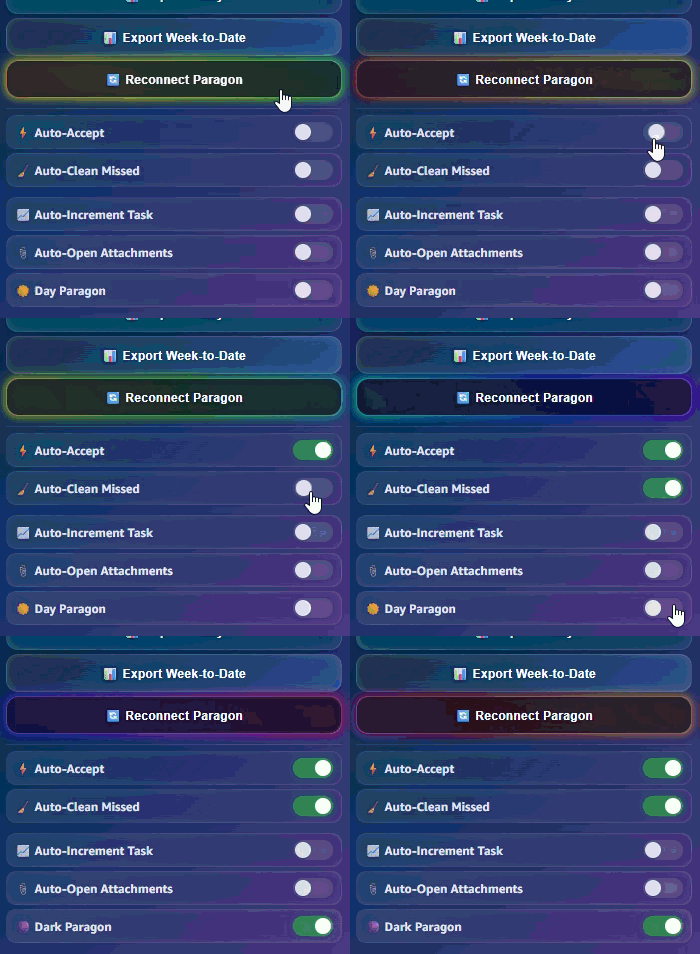
STAR Tools demo
STAR Tracker in action
STAR Annotations workflow
The Suite

Two tools. One mission.

Purpose-built Chrome extensions that integrate directly into Paragon.

STAR Tracker Icon

STAR Tracker

v3.6
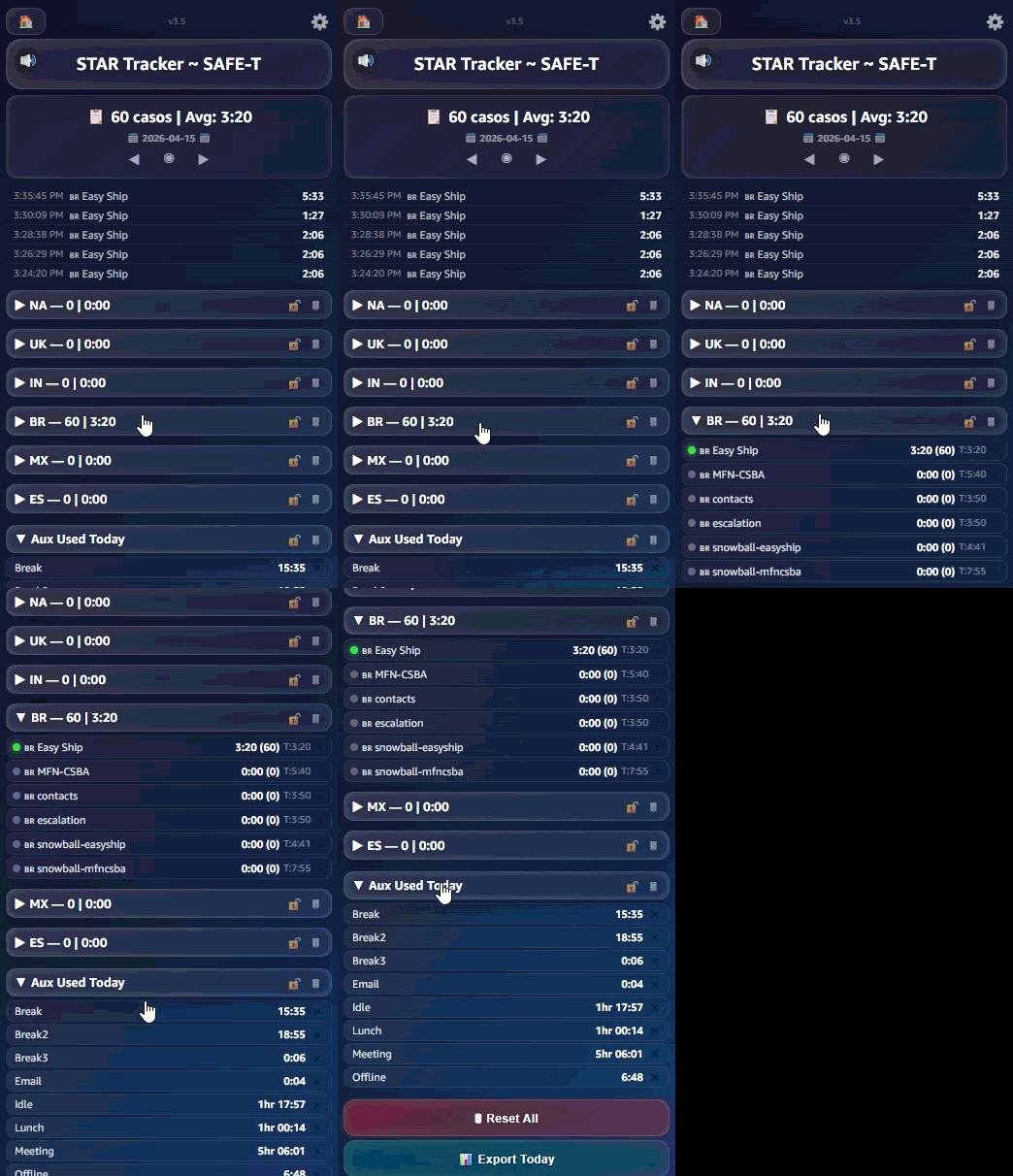
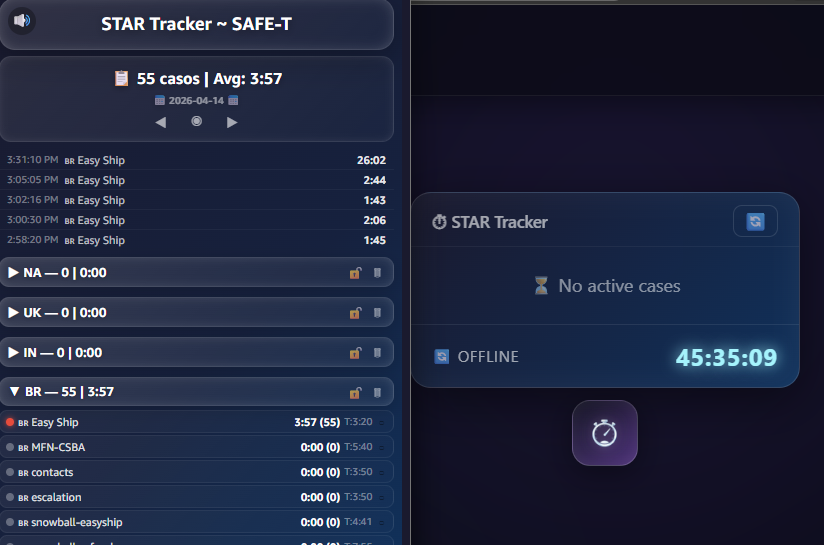
STAR Tracker dashboard showing live AHT timer and case stats

Real-time AHT tracking with a floating widget, multi-profile dashboards, auto-detection of queues, and dark mode for Paragon. Your cases, your pace.

  • Live AHT timer with color-coded thresholds
  • Floating AHT widget on every page
  • Paragon dark mode
  • Auto-accept cases
  • Auto-clean missed contacts
  • Auto-open attachments
  • Keyword alerts
STAR Annotations Icon

STAR Annotations

v1.6
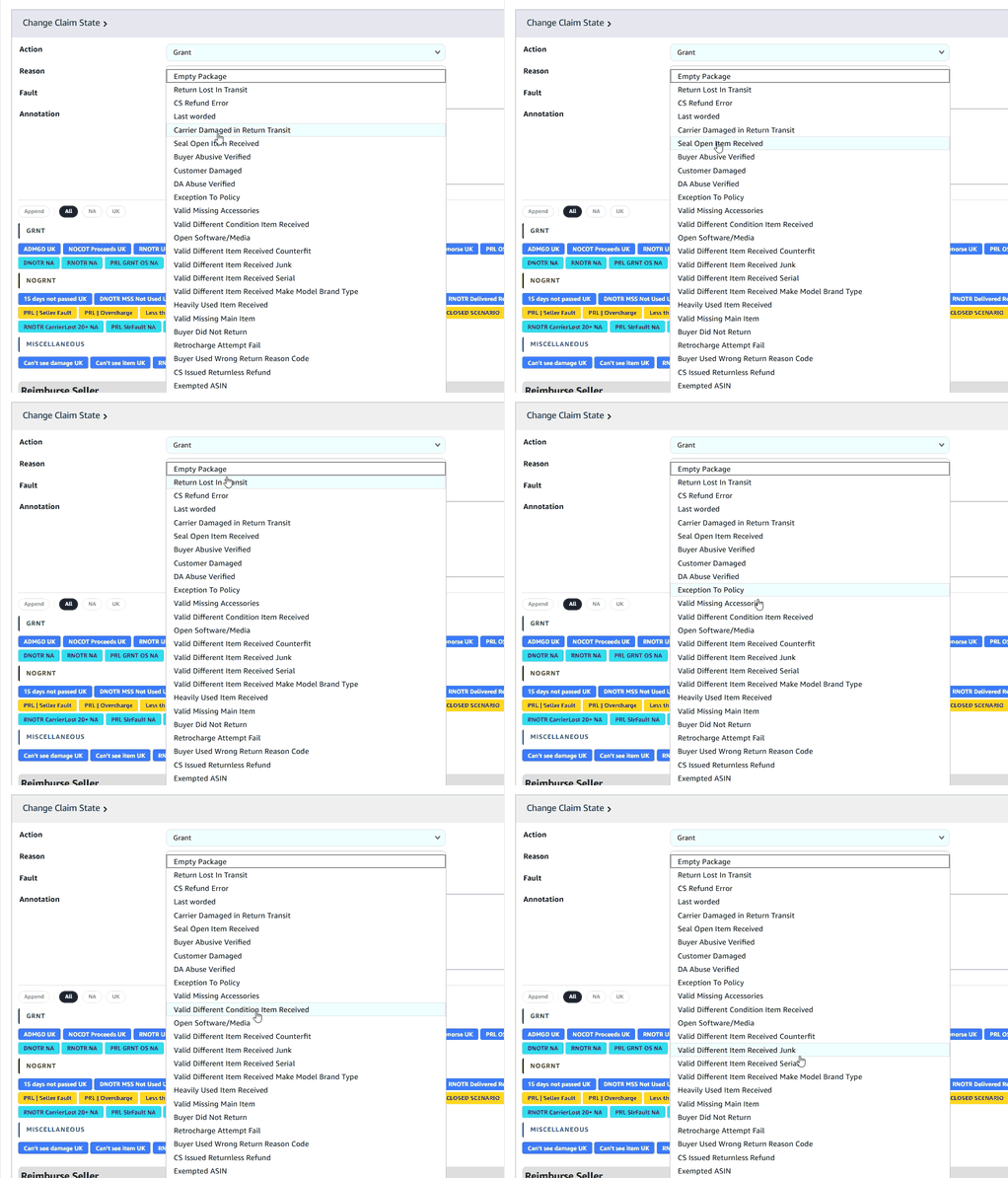
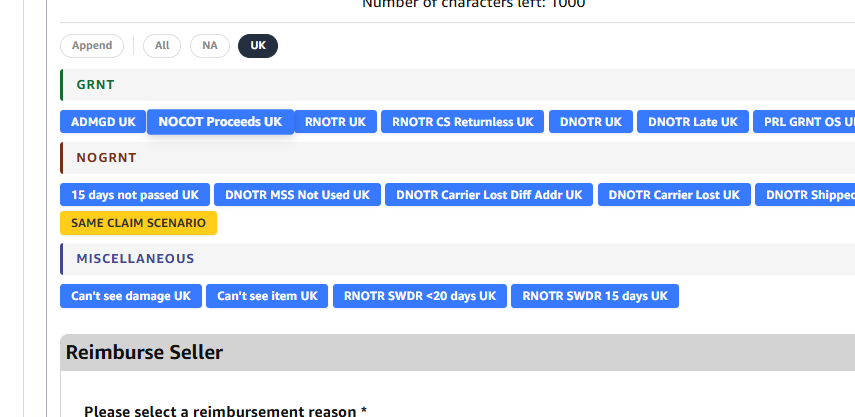
STAR Annotations editor with category-based annotation insertion

Smart annotation injection for Paragon cases. Categorize findings with a visual editor and one-click insertion into any case.

  • Category-based annotations (Grant, No Grant, Miscellaneous)
  • Visual rich-text editor with one-click insertion
  • Folder organization within each category for better structure
  • Autofill for Grant emails
  • Autofill for dates and tracking numbers
Why STAR

Built for speed and clarity

Zero Config

Install the extension, open Paragon, and it just works. Auto-detects your queue and profile instantly.

All Regions

Full support for all Paragon regions and time zones. Same tools, same experience, everywhere.

Dark Mode

One toggle inverts Paragon's blinding white into a comfortable dark theme. Your eyes will thank you.

Live Dashboard

Real-time stats per profile. Cases completed, average AHT, daily trends. All in a compact popup.

Extensible Profiles

Add new queue profiles with a simple template system: config, detector, popup. Plug and play.

Local Storage

All data stays in your browser. No external servers, no tracking, no data leaving your machine.

0
Chrome Extensions
All
Paragon Regions
0
External Dependencies
Get Started

Install in 30 seconds

1

Download

Download the latest release ZIP from the STAR Tools repository.

Download Bundle
2

Unzip

Extract each extension folder (STAR-Tracker, STAR-Annotations) to a local directory.

3

Load

Open chrome://extensions, enable Developer Mode, click "Load unpacked" and select each folder.